Modelling content
Forms
Declare a public form, keep spam out, email the right people, pass submissions to another system, and decide how long they are kept.
Tidewater’s “Book a demo” form is how sales hears about new customers, so it has to work, reach the right inbox, land in the CRM and keep bots out. This guide covers all of that.
After reading this guide, you will know:
- How to declare a form and which fields a public form may use.
- How to put a form on a page.
- How spam protection works, and how to turn on a CAPTCHA.
- How to email submissions, and how to send them to another system’s API.
- How long submissions are kept, and how to change it.
1. Declaring a form
bin/rails nibble:generate:form demo
# site/schema/forms/demo.yml
title: Book a demo
fields:
  - handle: name
    field: { type: text, display: Your name, required: true }
  - handle: email
    field: { type: text, input_type: email, display: Work email, required: true }
  - handle: company
    field: { type: text, display: Company }
  - handle: team_size
    field:
      type: select
      display: Team size
      options: { solo: Just me, small: 2–10, large: More than 10 }
success:
  message: Thanks — we'll be in touch within a working day.
Fields are declared exactly as in a blueprint, but a public form may only use text, textarea,
integer, toggle, select, radio, checkboxes, date and files. nibble:check refuses anything else.
success is either a message shown in place of the form, or a redirect to a thank-you page:
success:
  redirect: /demo/thanks
Tip
A files field takes uploads — a brief, a logo — with max_files, max_file_size (in MB) and extensions to
limit them. Uploaded files are kept with the submission.
2. Putting it on a page
A view asks for the form in its query sidecar, and renders it:
# site/themes/tidewater/views/demo.yml
form:
  from: form:demo
The view receives the form’s definition — its fields, where to post, the honeypot, the CAPTCHA — and
useNibbleForm does the posting and error handling. See Theme components for
a complete form component.
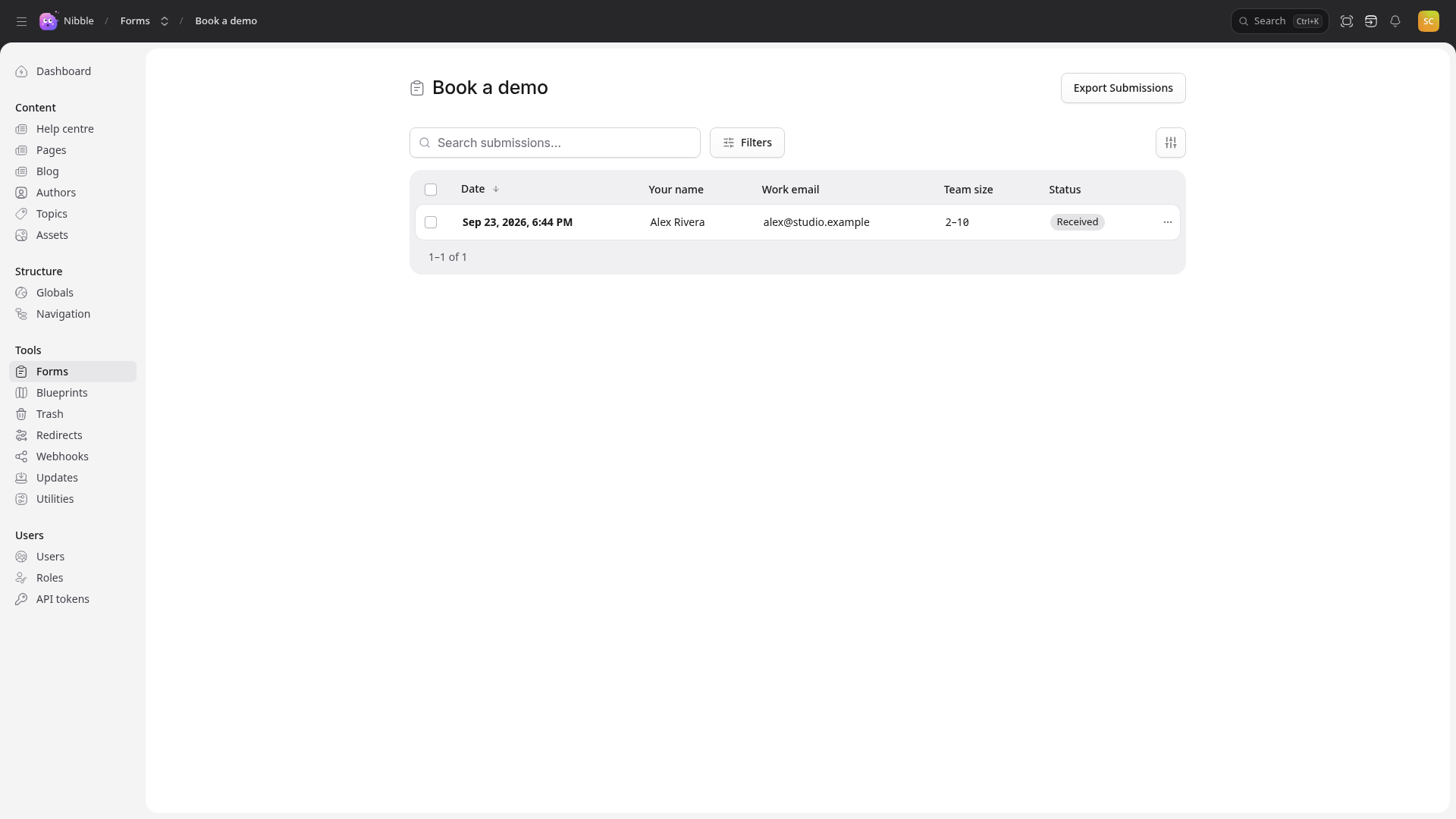
The form posts to POST /forms/demo. Submissions are stored and listed under Forms in the control panel.
3. Emailing submissions
notify:
  - to: sales@tidewater.example
    reply_to: email
  - to: founders@tidewater.example
    fields: [name, company, team_size]
Each entry sends one email per submission. reply_to names a field, so pressing Reply answers the person who
filled the form in. fields limits what that email includes.
Important
The address mail is sent from is a site setting: Globals → Integrations. Set it, and the SMTP settings in configuration, before relying on email.
cp_notify: true also notifies control panel users who can see the form’s submissions.
4. Spam
Every form gets two protections without asking:
- A honeypot — a hidden field people never fill in and bots usually do. Rename it with
spam.honeypot, or turn it off withhoneypot: false. - Rate limiting — five submissions a minute from one address by default.
A public demo form on a startup’s site will still attract determined bots. Turn on a CAPTCHA:
spam:
  captcha: true
  rate_limit:
    requests: 3
    per_minutes: 10
Then choose the provider — Cloudflare Turnstile or Google reCAPTCHA — and paste its keys under Globals → Integrations. The theme’s form component renders the widget from the form’s definition.
Warning
With captcha: true and no keys in Integrations, submissions cannot be verified and are refused. Add the keys
before you deploy the change.
5. Sending submissions to another system
Tidewater’s sales team lives in its CRM, so each demo request should arrive there too. An api delivery posts the
submission to another system’s API:
api:
  - url: https://api.crm.example/v1/leads
    method: post
    format: json
    body:
      name: "{field.name}"
      email: "{field.email}"
      company: "{field.company}"
      source: website-demo
      token: "{secret.crm_token}"
{field.x} is a submitted value, {secret.x} a secret, and {config.x} a value from outbound.config in
configuration. Deliveries are async by default: the visitor sees the success message
at once, and a failed delivery is retried and shown on the submission in the control panel. mode: sync makes the
visitor wait for it instead.
Nibble only calls out to hosts you allow, and only uses secrets you name:
# config/nibble.yml
outbound:
  allowed_hosts: [api.crm.example]
  secrets: [crm_token]
and the secret itself goes in the environment as NIBBLE_SECRET_CRM_TOKEN, or in credentials under
nibble.secrets.crm_token.
Caution
Never put a key in the form file itself. Schema is committed to git and readable by anyone with the repository;
{secret.…} keeps the key out of it.
5.1 API connections
When several forms call the same API, describe it once in site/schema/apis/crm.yml:
base_url: https://api.crm.example/v1
headers:
  Authorization: "Bearer {secret.crm_token}"
timeout: 10
and deliver to it with use: crm instead of url:.
5.2 Handlers in Ruby
For anything a template cannot express, a form can name a handler registered in Ruby. See
Extending Nibble.
6. How long submissions are kept
retention_days: 90
Submissions older than that are deleted on a schedule, so a contact form does not quietly accumulate people’s
personal details for years. store: false keeps nothing at all — the email and API deliveries still happen.
Note
Ninety days suits a demo form: long enough for sales to follow up, short enough that the site does not become a second, forgotten CRM.
7. Every key
| Key | Notes |
|---|---|
title, fields |
required |
success |
{ message } or { redirect } |
notify |
a list of { to, reply_to, fields } |
api |
a list of { url or use, method, format, body, mode } |
spam |
{ honeypot, rate_limit: { requests, per_minutes }, captcha } |
store, cp_notify |
true / false |
retention_days |
a positive number |
handler |
the name of a registered Ruby handler |