Editing content
Redirects and SEO
How pages look in search results and when shared, how old links keep working, and how to find and fix the addresses visitors cannot reach.
Most of this looks after itself. This guide is about knowing that, and about the screens where you can step in.
After reading this guide, you will know:
- How a page’s search result and share card are decided, and how to override them.
- What happens to old links when a page moves.
- How to add a redirect of your own.
- How to find the addresses visitors ask for and do not find.
1. On each entry
Every page and post has an SEO tab: the title search engines show, the description beneath it, the image used when someone shares the link, and a switch to hide the page from search engines.
Leave them empty and they fall back to what the entry already has — its title, its excerpt, its featured image — and then to the site’s defaults under Globals → SEO. A page is never unlabelled. Fill them in when the page’s own title is not the one you want in a search result.
Tip
Write descriptions for people, not for search engines: one sentence that tells someone whether this is the page they want. Tidewater’s for the pricing page is “Three plans, no setup fee, cancel whenever you like.”
2. Sitemaps and robots.txt
The site’s sitemap is generated from what is published and stays current as you publish. You never edit it, and
there is nothing to resubmit after a change. robots.txt is generated too. Both are covered in
SEO, sitemaps and feeds.
3. Redirects
Redirects, under Tools, lists every redirect on the site:
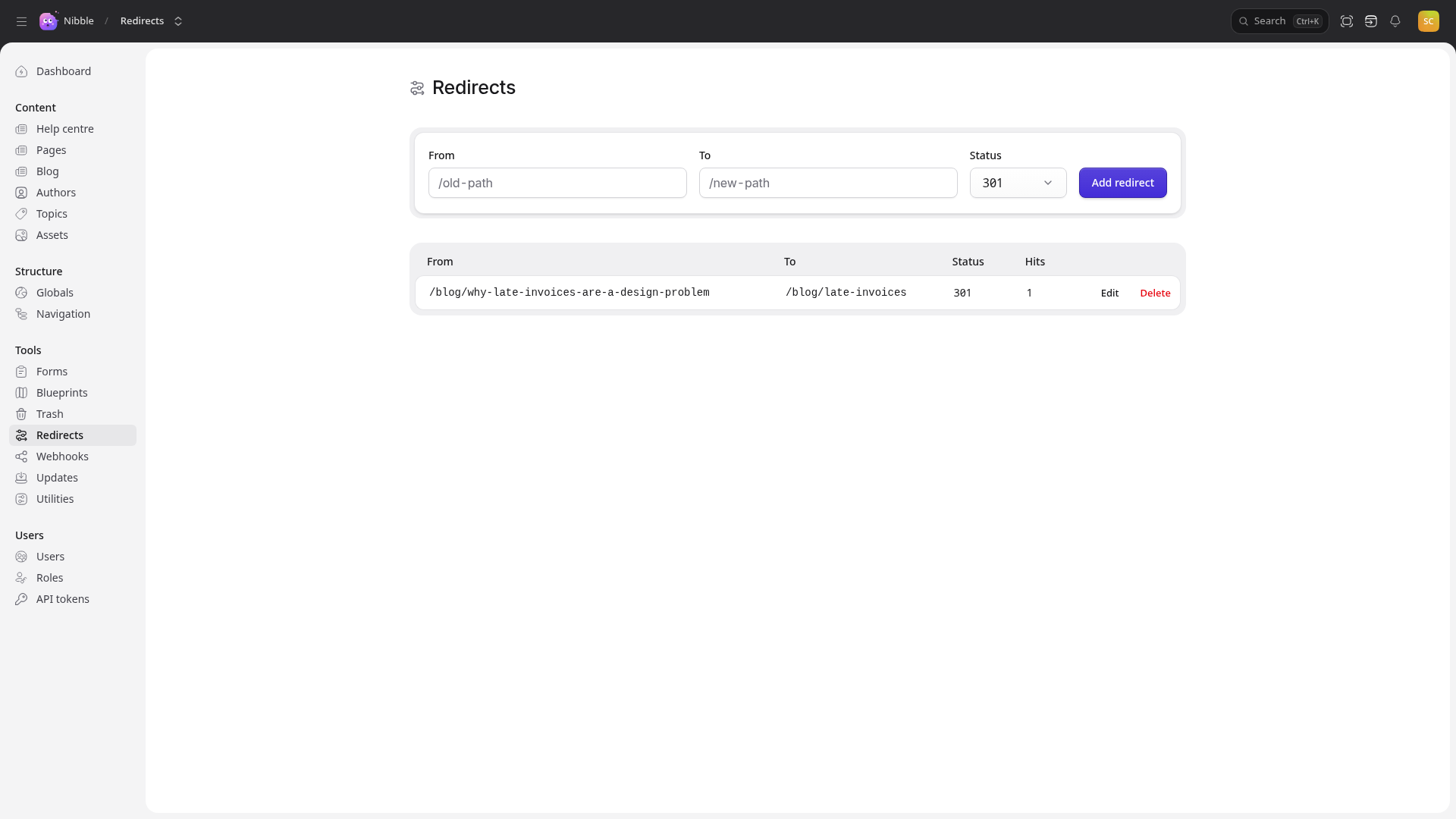
Most appear on their own. Shorten a live post’s slug from why-late-invoices-are-a-design-problem to
late-invoices, and a 301 from the old address is recorded at once — links already shared keep working. Hits
shows how often each one is used.
Add your own with From, To and Add redirect. That is what you want when moving to Nibble from another site: bring the old site’s addresses across, and years of links and search ranking come with them.
Note
Chains are collapsed as they are made. If /a redirects to /b and you then redirect /b to /c, /a is
repointed straight to /c, so every old address arrives in a single hop.
Warning
A redirect wins over a page. If you add a redirect from an address a live page uses, visitors go where the redirect sends them, not to the page.
4. Missing pages
Missing pages lists every address visitors asked for and did not find, with how often and when last:
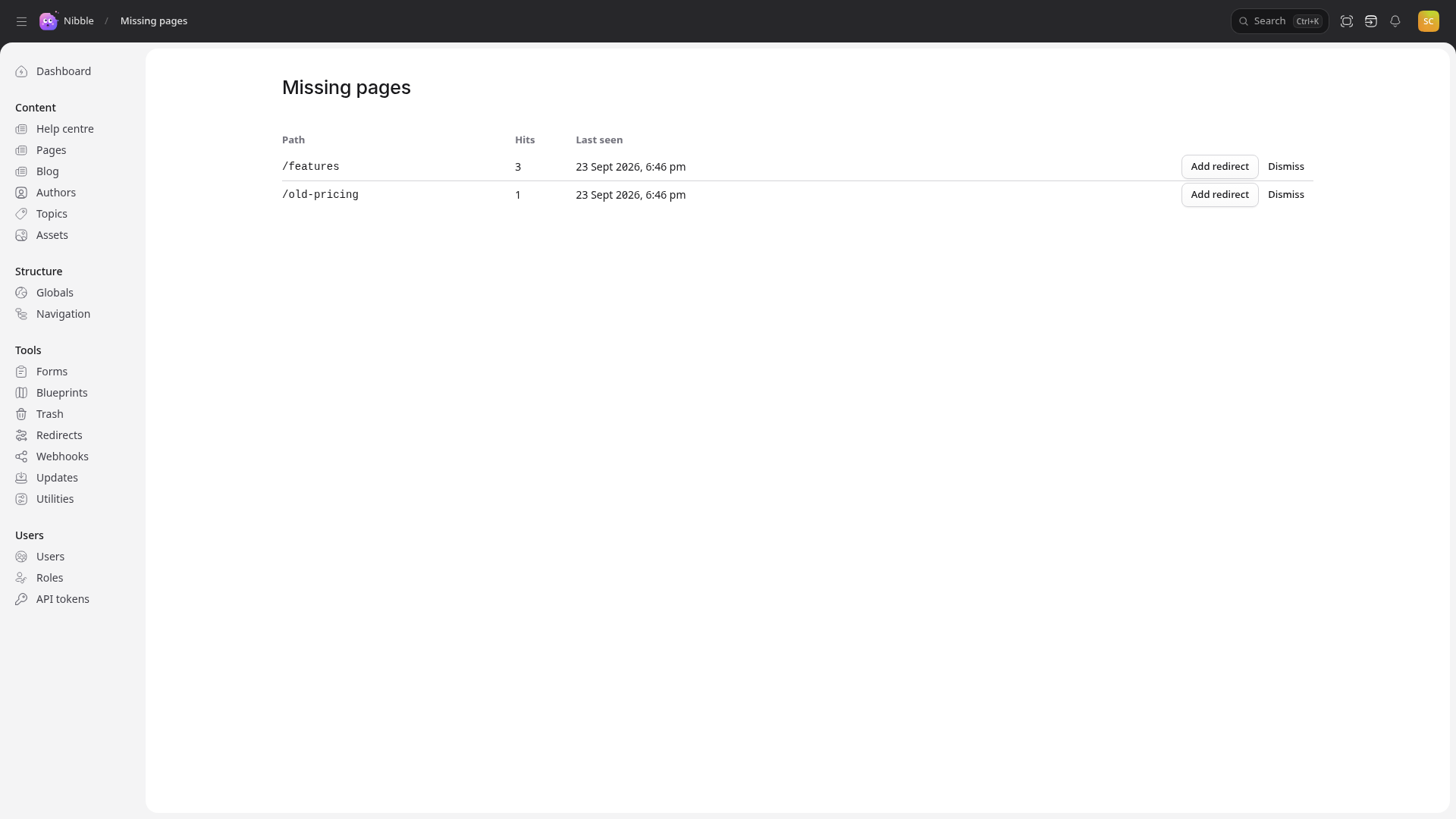
It is the most useful SEO screen in the control panel, and the least glamorous. A path near the top is real people, repeatedly, failing to reach something — usually a link from an old site or a mistyped address in a newsletter. Add redirect fixes it for everyone who follows; Dismiss removes a row that needs nothing.
The screen is at /admin/404s. The dashboard’s Top missing pages widget shows the first few — add it with
Customize on the dashboard.