Extending Nibble
The Content API
Read the site's content over HTTP — tokens and scopes, the endpoints, filtering, sorting, pagination and previews.
Everything a theme renders can also be read over HTTP. You can use it to show Tidewater’s newest blog posts and help articles inside the invoicing product itself.
After reading this guide, you will know:
- How to create a token, and what each scope allows.
- Every endpoint, and which collections they serve.
- How to filter, sort, paginate and choose fields.
- How to read drafts for a preview.
1. What it is for
Use it when something outside the site needs its content: a product showing “What’s new”, a mobile app, a static build, a search index somewhere else.
Do not use it from your own theme. A theme asks for content through its query sidecar, which is faster, needs no token, and lets Nibble cache the page precisely.
The API is read-only. Nothing is written through it.
2. Turning it on
A collection or taxonomy is served only when it says so:
# site/schema/collections/posts.yml
api: true
Nibble’s pages and posts and the theme’s taxonomies have api: true already.
Warning
Every field of a served entry is in the response except those marked api: false, which the API leaves out (a page
still receives them). A site whose load_defaults is older than 0.15.0 still sends them. Keep anything that must
stay private out of collections the API serves.
3. Tokens
Create one under Users → API tokens in the Control Plane. Each token has a name, an optional expiry and its own scopes:
| Scope | Allows |
|---|---|
read |
published content |
preview |
published content, and drafts when a request asks for them |
health |
GET /api/v1/health |
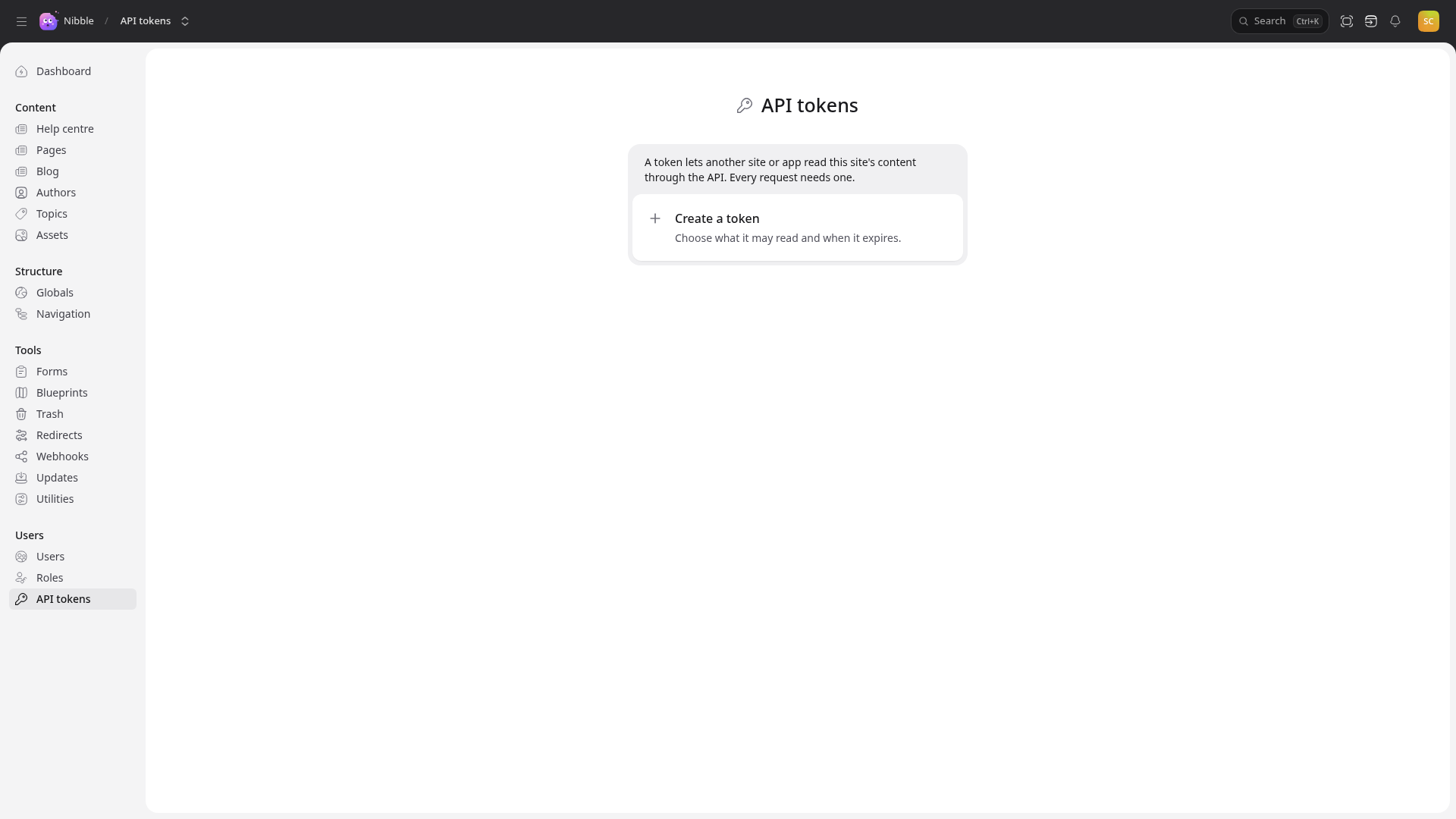
These tokens only ever read. A program that needs to change content does it as a person, through the management API.
Caution
A token is shown once, when it is created. Store it where the job that uses it can read it and nowhere else — never in a theme, which is sent to every visitor’s browser.
Send it as a bearer token:
curl -H "Authorization: Bearer $TIDEWATER_TOKEN" \
  "https://tidewater.example/api/v1/collections/posts/entries?page[size]=3&sort=-published_at"
Each token may make 300 requests a minute.
4. Endpoints
| Endpoint | Returns |
|---|---|
GET /api/v1/collections/:collection/entries |
a collection’s entries, paginated |
GET /api/v1/entries/:uuid |
one entry |
GET /api/v1/taxonomies/:taxonomy/terms |
a taxonomy’s terms, paginated |
GET /api/v1/terms/:uuid |
one term |
GET /api/v1/globals/:handle |
a global’s fields |
GET /api/v1/navigation/:handle |
a menu |
GET /api/v1/routes |
every public URL the site serves |
GET /api/v1/schema |
the collections and taxonomies the API serves, and their fields |
GET /api/v1/health |
whether the site is healthy |
Content comes back in the shape a view receives (see Content in views), so a field
means the same thing in a template and in a JSON response. An asset arrives inside the field that uses it, with its
url, size, alt and srcset; the file itself is served from that url. The one difference is api: false fields, which the API
leaves out.
Tip
/api/v1/routes is the one a static build wants: it lists every page that exists, so a generator knows what to
fetch.
Note
A collection written as files is listed by
/api/v1/collections/:collection/entries, but /api/v1/entries/:uuid finds only entries stored in the database.
5. Query parameters
The listing endpoints take the same options as a query sidecar, written as URL parameters:
| Parameter | Example | Means |
|---|---|---|
filter[field] |
filter[topics]=12,15 |
in for a relationship, eq for a column |
filter[field][op] |
filter[published_at][gt]=2026-09-01 |
any operator a query supports |
sort |
sort=-published_at,title |
- for descending |
fields |
fields=title,url,excerpt |
only these fields |
include |
include=authors,topics |
relationship fields in full |
page[number], page[size] |
page[size]=3 |
pagination |
locale |
locale=en |
another locale |
To show the three newest posts in the product:
GET /api/v1/collections/posts/entries?page[size]=3&sort=-published_at&fields=title,url,excerpt
6. Previews
Drafts are never served unless a request asks for them with preview=1 and its token has the preview scope:
GET /api/v1/entries/0f1c…?preview=1
Give the product’s staging build a separate preview token, so writers can see a draft post in the product before it goes live — and the production build’s token cannot read drafts at all.
Warning
A token with preview can read every unpublished entry in every collection the API serves. Give it only to
systems that need it.