Running a site
Upgrading
Take a new release with one command — what it checks, what it asks, how to undo it, and what to do when it refuses.
Nibble lives in one folder of your site, vendor/nibble, and a release replaces that folder and nothing else. One
command does it, asks about the few files it cannot decide alone, and tells you how to undo it. This guide takes
Tidewater from 0.15.0 to the next release.
After reading this guide, you will know:
- How to hear about a release, and read what it changes.
- What
bin/rails nibble:upgradedoes, step by step. - What it asks you, and how to answer.
- How to undo an upgrade.
- Why an upgrade refuses, and what to do when it does.
1. Hearing about releases
Updates, in the control panel, lists releases newest first, ten at a time, with what each one changed; Load more brings the next ten. It checks once a day by reading the published list of releases a page at a time — nothing about your site is sent anywhere — and the switch at the top turns even that off.
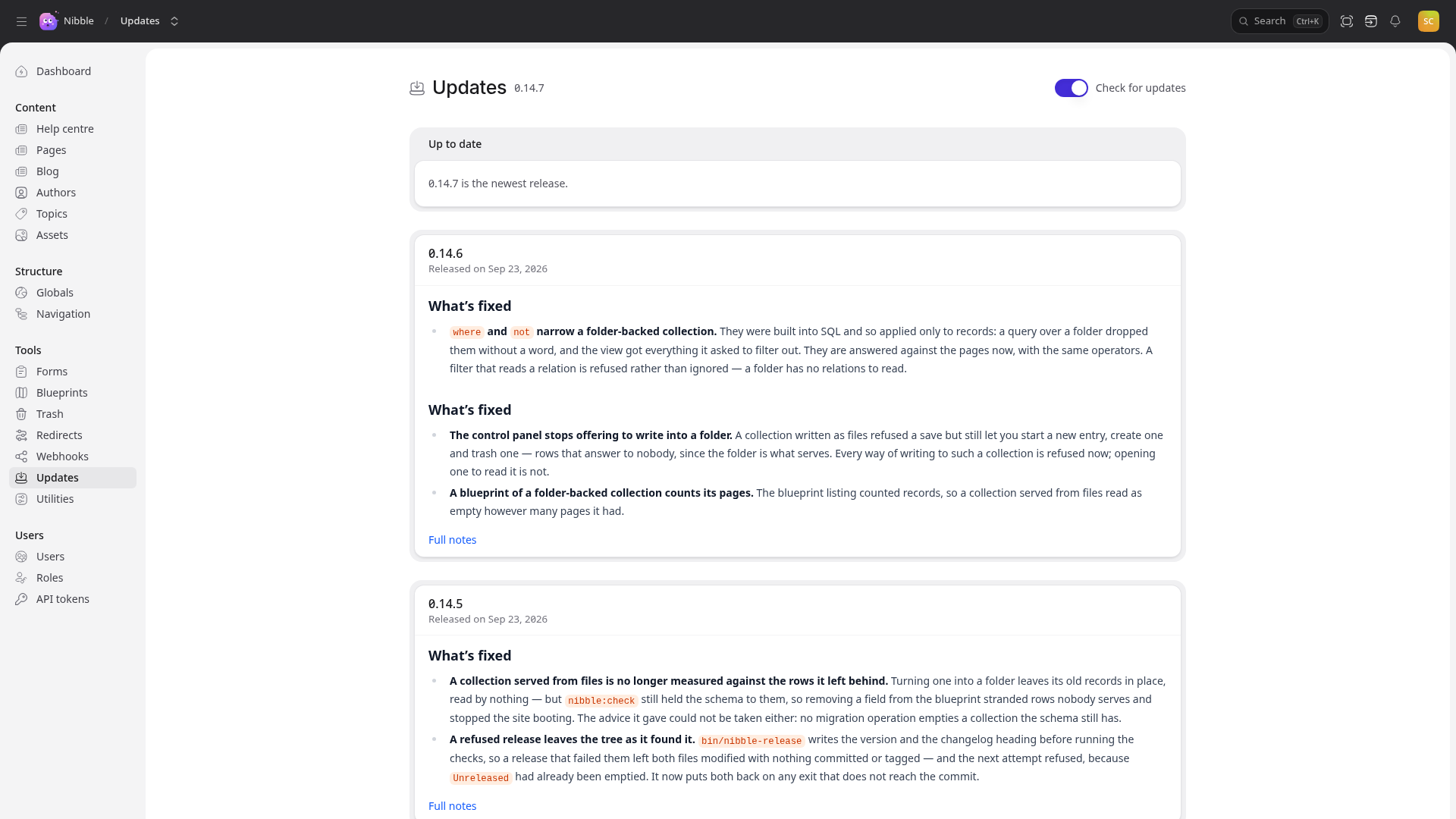
Anything that needs action from you carries an Upgrade note. A release whose migrations cannot be undone says so, because the snapshot is then the only way back.
bin/rails nibble:version prints the release your site runs.
2. Three rules
The command enforces all three, so you cannot forget them:
- Upgrade on your own machine, then deploy the result. It refuses to run anywhere but development: an upgrade that goes wrong on a server is an outage, and one that goes wrong on your laptop is an afternoon.
- Commit everything first. When your site is in git, the command refuses a tree with uncommitted changes, so
git diffafterwards shows exactly what the upgrade changed. - Take releases in order if you are several behind, running the site after each — see below.
3. Doing it
bin/rails nibble:upgrade          # the newest release
bin/rails nibble:upgrade 0.16.0   # a particular one
In order, it:
- Downloads the release and checks it against its published checksum. Nothing else happens if they differ.
- Hands over to the new release, which does the rest, so a fix to upgrading applies in the very release that ships it.
- Checks Nibble’s files are as released. Every file in
vendor/nibbleis compared with the release’s manifest; one you changed in place stops the upgrade — see below. - Checks the release can be taken: that it upgrades from your version, that your machine has the Ruby and Node it needs, and that your own theme speaks its theme API. It stops before touching anything if not.
- Snapshots the database into
storage/upgrades/, and prints the exact command that puts it back. Copy that line somewhere; it is your way home. - Replaces
vendor/nibble, keeping the old one intmp/nibble-<version>. - Installs gems and npm packages, and runs
bin/rails nibble:prepare— database migrations and content migrations. - Asks about generated files whose template has moved on — see below.
- Shows what changed in screens you ejected.
Then run the site, click around, run bin/ci if you have tests of your own, commit, and
deploy.
4. What it asks you
Files you own that Nibble generated — config/nibble.yml, CLAUDE.md, the deploy files, and the rest of the
application around vendor/nibble. When the template one was made from has changed, it renders yours again from the
answers your install recorded and asks:
  config/nibble.yml — our template has moved on
  [y] take ours  [n] keep yours  [d] show the difference  [a] take every one  [q] leave the rest:
Warning
Take ours replaces the whole file. Anything you added by hand — Tidewater’s time_zone and outbound settings
— goes with it. Press d first; when you have made changes of your own, keep yours and copy the new lines across
by hand.
Screens you ejected. For each one whose original changed, it shows the difference between the old release’s copy and the new one. Nothing is applied for you; decide what to carry across.
5. Undoing it
The command prints the way back if it stops after replacing the folder. At any point afterwards:
- Put the old release back:
rm -rf vendor/nibble && mv tmp/nibble-<version> vendor/nibble, thenbundle installandnpm install. - Put the database back with the command the snapshot step printed.
When your site is in git, git checkout . undoes the rest.
Caution
Some migrations cannot be undone by code. The release notes say so when that is the case, and then the snapshot is the only way back. Do not delete it until you are sure.
6. When it refuses: Nibble’s files changed in place
An upgrade replaces vendor/nibble whole, so it refuses to go ahead when a file there no longer matches the release it
came from — your change would be lost without a word. Find out which files those are before you start:
bin/rails nibble:check
It warns about every file of Nibble’s changed in place. If you meant to change one of those,
eject it instead, or send the change back to Nibble.
bin/rails nibble:upgrade --force goes ahead and replaces them.
Tip
Keep every change in site/, config/, app/ and your own theme — all of which are the site’s — and an upgrade
never has anything to refuse. Tidewater’s site is built that way throughout.