Editing content
Form submissions
Read, search and export what people sent through the site's forms, and know where their emails go.
Every demo request Tidewater’s site receives is kept, emailed to sales and listed in the control panel. This guide is for whoever answers them.
After reading this guide, you will know:
- Where submissions are, and how to find one.
- How to export them for a spreadsheet.
- Where notification emails come from, and what to check when they stop.
- How long submissions are kept.
1. Reading submissions
Open Forms in the sidebar and choose a form. Each has its own list, newest first:
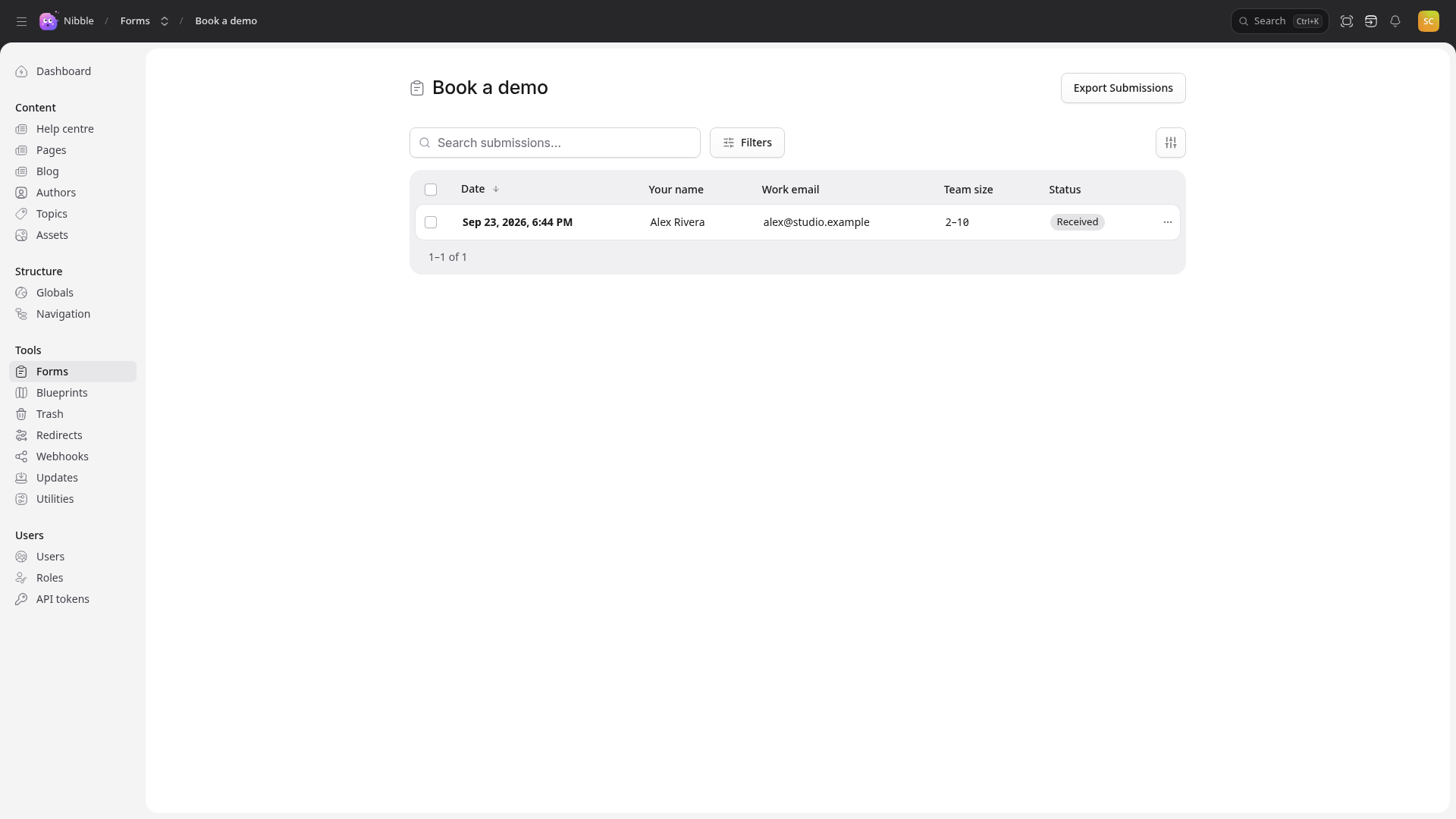
Search and Filters narrow it; the columns button chooses which fields are shown. Open one to see everything that was sent, when, and what happened to it — whether its emails went out and whether it reached any other system the form sends to.
Uploaded files — a brief, a logo — are attached to the submission and open from it.
A submission can be deleted from its … menu once it has been dealt with.
2. Exporting
Export Submissions downloads the lot as a CSV file for a spreadsheet — for an event’s sign-ups, or a month of demo requests for someone who does not use the control panel.
Caution
An export is people’s names and email addresses on your laptop. Keep it only as long as you need it, and do not send it round by email.
3. Emails
A form can email people when it is submitted. Tidewater’s sends each demo request to sales@, and pressing Reply
answers the person who asked. Who receives what is part of the form’s setup; the address mail is sent from is a
site setting under Globals → Integrations.
If emails stop arriving:
- Check the submission is in the list. If it is, the form is working.
- Open it: it shows whether its emails were sent.
- Look in the spam folder — mail from a new domain often lands there for a while.
- Ask whoever runs the site to check the mail settings.
4. Spam
Every form is rate-limited and has a hidden field that catches most bots. Tidewater’s demo form also has a CAPTCHA, whose keys are under Globals → Integrations. If spam gets through anyway, a CAPTCHA is the first thing to ask for.
5. How long they are kept
Submissions are deleted on a schedule the site sets, so a contact form does not quietly collect people’s details for years. Tidewater’s demo requests are kept for 90 days. Export anything you need to keep before then.